

Search engine optimization (SEO) involves more than creating high-quality content, choosing relevant keywords, and building backlinks. Search engines must also be able to discover, crawl, and understand the important pages on your website. This is where an XML Sitemap Checker becomes useful for technical SEO. An XML sitemap provides search engines with information about the URLs you want them to discover and consider for indexing, while an XML Sitemap Checker helps identify sitemap errors that may affect this process.
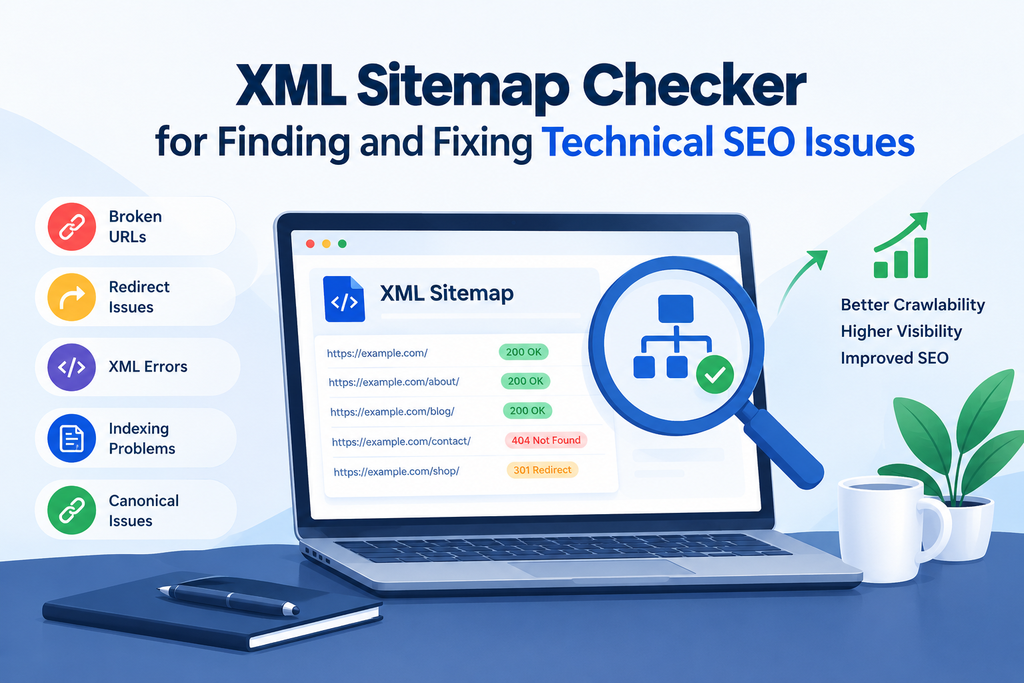
However, simply creating a sitemap does not guarantee that it is accurate, accessible, or free from technical errors. Broken URLs, incorrect redirects, outdated pages, indexing problems, and invalid sitemap formats can affect how effectively search engines process your website. An XML Sitemap Checker helps identify these issues so website owners and SEO professionals can take corrective action.
Whether you manage a small business website, a WordPress blog, an eCommerce store, or a large SaaS platform, regularly checking your XML sitemap can help you maintain a healthy website structure and improve technical SEO performance.
In this guide, you will learn what an XML Sitemap Checker is, how it works, which SEO issues it can detect, how to use one effectively, and why sitemap monitoring is important for long-term organic search growth.
What Is an XML Sitemap Checker?
An XML Sitemap Checker is a technical SEO tool that analyzes an XML sitemap to identify errors, inconsistencies, and potential problems that may prevent search engines from discovering your website’s important pages.
An XML sitemap is a structured file that lists URLs on a website. It can also include optional information such as the last modification date of a page. Search engines, including Google and Bing, can use sitemap information to discover URLs and better understand which pages a website considers important.
An XML Sitemap Checker evaluates whether a sitemap is available, correctly formatted, and populated with suitable URLs. Depending on its features, the tool may also inspect individual URLs, identify redirect chains, detect broken pages, and flag URLs that should not be included in the sitemap.
For example, suppose your website contains 500 URLs, but 40 of them return 404 errors and another 25 redirect to different pages. A sitemap checker with URL-validation capabilities can help identify these problematic entries, allowing you to clean up your sitemap and improve its accuracy.
The exact features vary by tool. Some checkers only validate XML syntax, while advanced technical SEO tools perform deeper URL analysis.
What Is an XML Sitemap and Why Does It Matter for SEO?
An XML sitemap is a file, usually named sitemap.xml, that provides search engines with a list of URLs associated with your website.
For example, a sitemap for a SaaS website might include pages such as:
- Homepage
- Product and feature pages
- Blog articles
- Calculator tools
- Documentation pages
- Important category pages
A simplified XML sitemap entry looks like this:
<?xml version="1.0" encoding="UTF-8"?>
<urlset xmlns="http://www.sitemaps.org/schemas/sitemap/0.9">
  <url>
    <loc>https://example.com/</loc>
    <lastmod>2026-10-20</lastmod>
  </url>
  <url>
    <loc>https://example.com/blog/seo-guide/</loc>
    <lastmod>2026-10-25</lastmod>
  </url>
</urlset>
In this example, the <loc> element identifies a URL, while <lastmod> indicates when the page was last modified. The dates should reflect genuine significant updates rather than being changed automatically without reason.
An XML sitemap is particularly useful for websites with many pages, complex navigation, newly published content, or pages that are not easily discovered through internal links.
However, having a sitemap does not guarantee that every listed URL will be crawled or indexed. Search engines decide which URLs to crawl and index based on their systems and other quality, relevance, and technical signals.
A properly maintained sitemap helps search engines discover important content more efficiently and gives website owners a clearer view of their intended URL structure.
How Does an XML Sitemap Checker Work?
An XML Sitemap Checker typically follows several steps to evaluate your sitemap and identify technical SEO problems.
1. Sitemap URL Validation
The checker first attempts to access the sitemap URL. A sitemap may be located at a standard address such as https://example.com/sitemap.xml, although some content management systems use different paths or sitemap indexes.
The tool checks whether the file can be retrieved and whether the server returns an appropriate response. If the sitemap is unavailable, blocked, or returns an unexpected error, the checker reports the problem.
2. XML Syntax and Structure Analysis
The tool examines the sitemap’s XML structure to determine whether it follows the expected format.
Missing closing tags, malformed elements, invalid nesting, or incorrect namespace declarations can cause processing problems. A syntax validator helps identify these errors so the sitemap can be corrected.
3. URL Status Code Checking
Some sitemap checkers visit each listed URL to examine its HTTP response.
They may identify URLs returning:
- 200 OK: The page is successfully accessible.
- 301 or 302 redirects: The URL redirects to another location.
- 404 Not Found: The requested page cannot be found.
- 5xx server errors: The server encountered a problem.
A 200 response is generally desirable for canonical pages included in a sitemap, but it does not automatically mean that a URL is indexable. Additional checks are necessary to assess canonical tags, robots directives, and other indexing signals.
4. Indexability Analysis
More advanced tools inspect whether sitemap URLs are suitable for indexing.
For example, a page may return a successful response while containing a noindex directive. Another page may identify a different URL as its canonical version.
These inconsistencies can reveal that your sitemap includes pages you do not intend search engines to index.
5. Issue Reporting
Finally, the checker presents its findings in a report. Depending on the tool, this may include errors, warnings, affected URLs, recommended fixes, and export options.
SEO professionals can use the report to prioritize technical corrections and monitor improvements over time.
Common SEO Issues an XML Sitemap Checker Can Find
An XML Sitemap Checker can reveal several technical issues that may interfere with URL discovery, crawl efficiency, and indexing.
1. Broken URLs and 404 Errors
Broken URLs are among the most common sitemap problems. They occur when a page has been deleted, moved, renamed, or incorrectly entered into the sitemap.
For example, an article may originally have been published at:
After a website redesign, its URL might change to:
If the sitemap continues to list the old URL and that address returns a 404 error, the sitemap contains an outdated entry.
A checker that validates URL responses can identify this issue. You can then update the sitemap, remove obsolete URLs, or implement an appropriate redirect if the old page has a relevant replacement.
Fixing broken sitemap entries helps keep the file accurate and reduces unnecessary attempts to crawl unavailable pages.
2. Redirecting URLs
Redirects are useful when pages move permanently or temporarily, but sitemap entries should generally point directly to the preferred destination rather than redirecting elsewhere.
Suppose your sitemap includes:
http://example.com/services/
The URL redirects to:
The secure destination is the preferred URL in this example. Updating the sitemap to use the final HTTPS URL avoids listing an unnecessary redirecting address.
Redirect chains can create additional inefficiencies. For example, one URL might redirect to a second URL, which then redirects to a third. Advanced checkers can help identify these chains so you can simplify them where appropriate.
3. Non-Indexable URLs
A sitemap should generally contain the canonical URLs of pages you want search engines to index.
Problems can occur when a sitemap includes pages with a noindex directive, URLs blocked by robots directives, or pages that redirect to other destinations.
For instance, a private campaign page might contain a noindex instruction but remain listed in the sitemap. This creates conflicting signals about whether the page is intended to appear in search results.
An advanced sitemap audit can flag these inconsistencies. Review each URL and determine whether it should be indexed. If it should not be indexed, remove it from the sitemap and ensure that your technical SEO configuration reflects your intended outcome.
Remember that robots.txt blocking and noindex are different mechanisms. Search engines may be unable to see a page’s noindex directive if crawling is blocked, so resolve these situations carefully.
4. Incorrect Canonical URLs
Canonical tags indicate which URL should be treated as the preferred version among duplicate or similar pages.
For example, these URLs might display the same content:
https://example.com/product/https://example.com/product/?ref=campaign
If the second URL is a duplicate and identifies the first as canonical, the sitemap should generally list the preferred canonical URL instead.
An XML Sitemap Checker with canonical analysis can identify URLs whose declared canonical destinations differ from the URLs listed in the sitemap.
Correcting these inconsistencies can help search engines interpret your preferred URL structure more consistently. Canonical tags are signals rather than absolute guarantees, so ensure that redirects, internal links, and sitemap entries support the same preferred URL.
5. Invalid XML Formatting
XML files must follow specific syntax rules. A missing closing tag, an incorrectly formatted element, or an invalid character can make a sitemap difficult or impossible to process correctly.
For example, a <url> element should be properly closed, and every <loc> element should contain a valid URL.
A syntax checker can identify formatting errors before they cause problems during sitemap processing.
This is especially important for automatically generated sitemaps on websites using WordPress, custom content management systems, and large eCommerce platforms.
6. Missing Important Pages
A sitemap may be technically valid but still incomplete.
For example, your website might contain 100 published blog articles, while the sitemap lists only 75. If the missing articles are important and not easily discoverable through internal links, their discovery could be delayed.
Comparing your sitemap with a website crawl or your content inventory can help identify missing URLs.
Prioritize valuable, indexable pages such as essential product pages, service pages, category pages, and original informational content. Not every website URL needs to appear in a sitemap; focus on canonical pages that you want search engines to discover and consider indexing.
7. Outdated Last Modification Dates
The <lastmod> field can tell search engines when a page was last significantly modified.
If your sitemap automatically updates every page’s modification date whenever the file is regenerated, the dates may become unreliable. Likewise, old dates may remain unchanged after meaningful content updates.
An XML Sitemap Checker or sitemap audit can help identify suspicious or inconsistent date patterns.
Make sure your content management system records meaningful modification dates accurately. Do not update the date merely to make a page appear fresh when its content has not materially changed.
8. Sitemap Size and URL Limit Problems
Large websites sometimes generate sitemap files that exceed technical limits.
Under the standard XML sitemap protocol, an individual sitemap is limited to 50,000 URLs and 50 MB when uncompressed. Websites exceeding these limits should split their URLs across multiple sitemap files and use a sitemap index.
An XML Sitemap Checker can help identify oversized files or malformed sitemap indexes.
For example, an eCommerce website with 100,000 product URLs could divide its sitemap into multiple files, such as product sitemap one, product sitemap two, and category sitemap. A sitemap index can then reference those files.
This structure makes large sitemap collections easier to manage and validate.
9. HTTP and HTTPS Inconsistencies
Using inconsistent URL protocols can create unnecessary redirects and confusing signals.
For example, a sitemap might list http://example.com/blog/, even though the preferred version is https://example.com/blog/.
Similarly, a website may contain inconsistent hostname versions, such as www.example.com and example.com, when one version is intended to be canonical.
Review your sitemap to ensure that its URLs consistently use the correct protocol, hostname, and preferred URL format.
10. Sitemap Accessibility and Robots.txt Issues
Search engines must be able to access your sitemap to process it. Server restrictions, authentication requirements, incorrect permissions, or unexpected responses can prevent successful retrieval.
You can also declare your sitemap’s location in your robots.txt file:
User-agent: *
Disallow: /admin/

Sitemap: https://example.com/sitemap.xml
The sitemap declaration helps search engines discover the file. It does not override crawling restrictions or guarantee indexing.
A sitemap checker can help confirm that the file is accessible and correctly structured, while additional technical testing can determine whether individual URLs are blocked or otherwise inaccessible.
How to Use an XML Sitemap Checker Step by Step
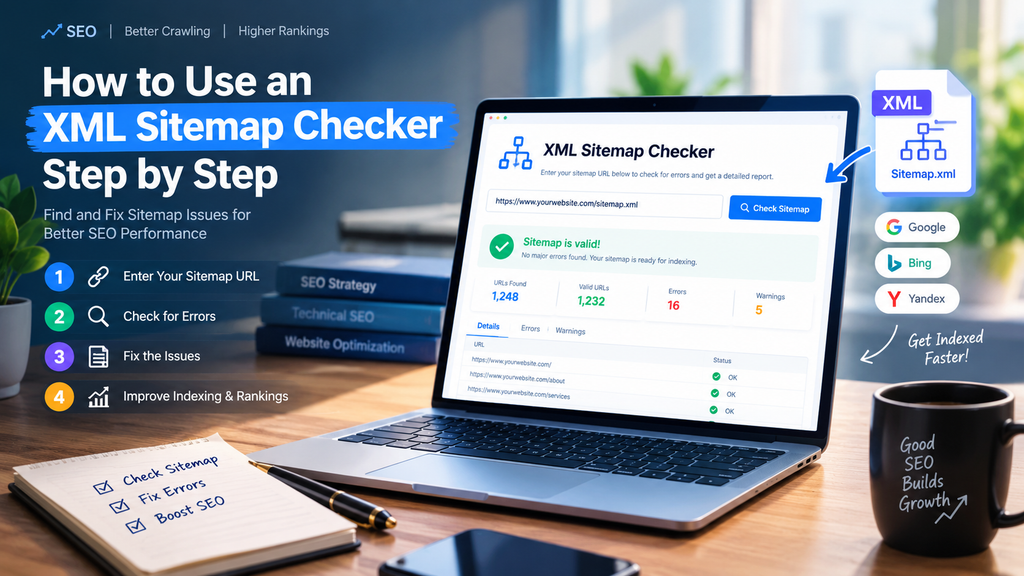
Using an XML Sitemap Checker is straightforward when you follow a consistent workflow.
Step 1: Find Your XML Sitemap
Start by identifying your website’s sitemap location. Common examples include:
https://example.com/sitemap.xmlhttps://example.com/sitemap_index.xmlhttps://example.com/wp-sitemap.xml
The correct address depends on your website platform and configuration. You can also inspect the robots.txt file for a sitemap declaration.
Step 2: Open an XML Sitemap Checker
Choose a technical SEO tool that supports the checks you need. A basic validator may be enough to identify XML formatting errors, while a comprehensive SEO crawler is more suitable for analyzing redirects, canonical tags, status codes, and indexability.
For large websites, consider tools that support sitemap indexes and bulk URL analysis.
Step 3: Enter the Sitemap URL
Paste the sitemap address into the checker and start the analysis. Depending on the tool, you may need to upload an XML file or run a broader website crawl.
Ensure that the sitemap is publicly accessible if the tool requires access from an external server.
Step 4: Review the Results
Examine the report carefully. Look for broken URLs, redirecting pages, XML errors, non-indexable URLs, duplicate entries, and missing important pages.
Do not assume that every warning requires an immediate change. Some warnings depend on your website’s intended structure and indexing strategy.
Step 5: Fix the Identified Problems
Correct the underlying cause of each issue.
For example, replace outdated URLs with their final destinations, remove unwanted non-indexable pages from the sitemap, fix XML syntax errors, and ensure that important canonical pages are included.
If a page has been removed permanently, do not redirect it to an unrelated page simply to eliminate an error. Use a relevant replacement when appropriate or return a proper 404 or 410 response when the content is genuinely gone.
Step 6: Recheck the Sitemap
After making corrections, run the checker again. Confirm that the errors have been resolved and that your sitemap continues to list the intended URLs.
Step 7: Monitor Search Engine Reports
Use Google Search Console to submit your sitemap and review its reported status. The Sitemaps report can provide information about sitemap processing, while URL Inspection can help investigate individual pages.
For websites that receive traffic from Bing, Bing Webmaster Tools can provide additional sitemap and indexing information.
Best XML Sitemap Checker Tools for SEO
Different tools serve different purposes. The best choice depends on whether you need basic XML validation, comprehensive technical analysis, or ongoing search performance monitoring.
1. Google Search Console
Google Search Console is a valuable free resource for website owners who want to monitor how Google processes their sitemaps.
It provides a Sitemaps report and tools for inspecting individual URLs. These features can help you investigate sitemap processing problems and understand the indexing status of specific pages.
However, Search Console is not a complete replacement for a dedicated sitemap validator or website crawler. It does not automatically diagnose every XML formatting issue or every URL-level technical problem.
2. Screaming Frog SEO Spider
Screaming Frog SEO Spider is a technical SEO crawler that can analyze website URLs and work with XML sitemap data.
It is useful for identifying status codes, redirects, canonical inconsistencies, and other technical issues when configured appropriately.
SEO professionals often use crawling tools to compare sitemap URLs with pages discovered during a website crawl. This can reveal pages that are missing from the sitemap or sitemap entries that should be reviewed.
3. Ahrefs Webmaster Tools
Ahrefs Webmaster Tools offers website auditing features for eligible verified websites. Its Site Audit capabilities can help identify technical and on-page SEO issues that may affect website health.
Although it is broader than a simple XML sitemap validator, it can complement sitemap checks by highlighting crawlability and indexability problems.
4. Semrush Site Audit
Semrush Site Audit provides technical SEO reporting that can help website owners investigate crawlability, internal linking, redirects, and other website health issues.
Depending on the configuration and available features, it can support a broader review of how sitemap URLs relate to the overall website structure.
5. XML Sitemap Validators
Dedicated online XML sitemap validators focus on checking sitemap syntax, structure, and protocol compliance.
They are useful when you want to verify whether a sitemap is correctly formatted without performing a complete website audit.
When selecting a validator, check whether it supports sitemap indexes, large files, URL response validation, and the number of URLs on your website.
XML Sitemap Checker vs. Website Crawler
An XML Sitemap Checker and a website crawler are related technical SEO tools, but they do not perform exactly the same job.
An XML Sitemap Checker focuses on the URLs declared in your sitemap and the validity of the sitemap file. A website crawler discovers URLs by following links and other crawlable website structures.
Using both tools together provides a more complete picture of your technical SEO.
For example, a sitemap checker may confirm that all listed URLs return a successful response. A crawler may reveal that several important pages have no internal links pointing to them, making them difficult for visitors and search engines to discover through the website structure.
Similarly, comparing the URLs found in a crawl with those included in the sitemap can expose valuable pages that are missing from the sitemap or unnecessary URLs that should be excluded.
For best results, use a sitemap checker for focused validation and a crawler for a broader technical SEO audit.
Best Practices for Maintaining a Healthy XML Sitemap
Maintaining a sitemap is an ongoing SEO task rather than a one-time activity. The following practices can help keep your sitemap accurate and useful.
Include canonical, indexable URLs. Focus on pages you want search engines to discover and consider indexing. Avoid unnecessary duplicates, redirected URLs, and pages intentionally marked noindex.
Keep the sitemap updated. Ensure that new important pages are added and removed pages are handled correctly. Automated sitemap generation can help, provided it reflects your intended URL structure.
Use accurate last modification dates. Update <lastmod> when significant content changes occur, not simply whenever the sitemap is regenerated.
Maintain clean URL structures. Use consistent HTTPS URLs, preferred hostnames, and the correct URL format.
Review the sitemap after website changes. Redesigns, migrations, permalink changes, content removals, and major platform updates can introduce sitemap errors.
Monitor large websites regularly. Sites with thousands of product pages, blog articles, or dynamic URLs benefit from scheduled validation and automated alerts.
Submit your sitemap to relevant search engines. Use Google Search Console and Bing Webmaster Tools where appropriate, and ensure that the sitemap is accessible to search engine crawlers.
Prioritize meaningful errors. Fix server errors, invalid XML, and important broken URLs before spending time on minor warnings that do not affect your intended SEO configuration.
How Often Should You Check Your XML Sitemap?
The ideal checking frequency depends on how frequently your website changes.
For a small business website that rarely adds new pages, checking the sitemap monthly may be enough. Check it again after major updates.
For a blog or SaaS site with regular updates, weekly checks can help find new issues. These issues may come from publishing workflows, URL changes, or content management updates.
For large eCommerce websites with frequently changing product inventories, automated monitoring may be more appropriate. Product availability, discontinued listings, category changes, and faceted navigation can introduce complex sitemap maintenance requirements.
Regardless of the schedule, always review your sitemap after a website migration or redesign.Also review it after a domain change, HTTPS setup, or major URL restructuring.
Automated sitemap generation and validation can reduce manual work, but periodic human review remains important because not every reported issue is necessarily an error.
Common XML Sitemap Mistakes to Avoid
Even experienced website owners can make mistakes when managing XML sitemaps.
One common mistake is assuming that every URL returning a 200 status code belongs in the sitemap. A page may be accessible but duplicate another page, contain a noindex directive, or otherwise be unsuitable for indexing.
Another mistake is believing that submitting a sitemap guarantees indexing. A sitemap helps search engines discover URLs, but it does not force them to crawl or index every page.
Some website owners also create multiple sitemap files without organizing them through a sitemap index when appropriate. Others include parameter-based URLs, outdated pages, or URLs that redirect to different destinations.
Finally, relying exclusively on a sitemap checker can leave important problems undiscovered. Sitemap validation should be combined with internal link analysis, canonical checks, robots.txt review, and search performance monitoring.
Avoiding these mistakes will help you maintain a clearer, more consistent technical SEO structure.
Benefits of an XML Sitemap Checker for SaaS and Business Websites
An XML Sitemap Checker is particularly useful for SaaS companies and businesses that rely on organic search to attract potential customers.
A SaaS website may contain feature pages, integration pages, pricing information, documentation, comparison articles, and educational blog posts. If important pages are missing from the sitemap or contain technical errors, search engines may have difficulty discovering the intended content.
For example, a SaaS company launching a new calculator tool may publish a landing page and supporting educational articles. Validating the sitemap helps confirm that the relevant URLs are listed correctly and do not contain avoidable technical problems.
For eCommerce websites, sitemap validation can help manage large collections of product and category URLs. For service businesses, it can support the maintenance of location pages, service descriptions, and blog content.
The main benefit is improved technical oversight. By identifying sitemap inconsistencies early, businesses can resolve problems before they become part of a larger website maintenance issue.
However, a sitemap checker alone cannot guarantee higher rankings, increased organic traffic, or improved conversions. These outcomes depend on multiple factors, including content quality, search intent, competition, website performance, and overall technical health.

Conclusion
An XML Sitemap Checker is an important technical SEO tool for validating sitemap files, identifying URL problems, and maintaining a clear structure for search engine discovery. It can help uncover broken links, redirecting URLs, XML syntax errors, non-indexable pages, canonical inconsistencies, and other sitemap-related issues.
Regular sitemap validation is especially valuable for websites that publish content frequently, manage large numbers of URLs, or undergo regular structural changes. Combining sitemap checks with website crawling and search engine monitoring creates a more reliable technical SEO workflow.
If you want to maintain a healthy website, start by locating your XML sitemap, validating its structure, reviewing the URLs it contains, and correcting any meaningful errors. Then monitor the results through Google Search Console and other suitable SEO tools.
A clean and accurate sitemap is not a guarantee of rankings, but it is a practical foundation for helping search engines discover your most important content and supporting your broader SEO strategy.
Frequently Asked Questions (FAQs)
1. What is an XML Sitemap Checker?
An XML Sitemap Checker is an SEO tool that validates sitemap files and, depending on its features, identifies issues such as broken URLs, redirects, invalid XML formatting, and non-indexable pages.
2. Is an XML Sitemap necessary for SEO?
An XML sitemap is not mandatory for every website, and search engines can discover pages through internal links. However, it can be particularly helpful for large websites, newly published content, and sites with complex structures.
3. Does an XML Sitemap Checker improve Google rankings?
A sitemap checker does not directly improve rankings. It helps identify technical problems that may interfere with URL discovery or indexing, allowing website owners to correct them as part of a broader SEO strategy.
4. How can I find my website’s XML sitemap?
Check common sitemap locations such as /sitemap.xml, /sitemap_index.xml, or /wp-sitemap.xml. You can also inspect your website’s robots.txt file or sitemap settings in your content management system.
5. Can an XML Sitemap Checker find broken links?
Some sitemap checkers validate the HTTP status of each listed URL and identify broken pages. Basic XML validators may only check the file’s structure, so verify that your chosen tool supports URL status checking.
6. Should noindex pages be included in an XML sitemap?
Generally, no. A sitemap should normally list canonical URLs that you want search engines to index. Remove pages intentionally marked noindex unless you have a specific technical reason to investigate their presence.
7. How often should I validate my XML sitemap?
Monthly validation may be enough for a relatively static website. Frequently updated blogs, SaaS platforms, and large eCommerce websites may benefit from weekly or automated checks.
8. What is the difference between an XML sitemap and robots.txt?
An XML sitemap lists URLs that you want search engines to discover, while robots.txt provides instructions about which parts of a website crawlers may access. Neither file guarantees that a page will be indexed.
9. Can I have multiple XML sitemaps?
Yes. Large websites can divide URLs across multiple sitemap files and use a sitemap index to reference them. Under the standard protocol, each individual sitemap is limited to 50,000 URLs and 50 MB uncompressed.
10. What should I do after fixing sitemap errors?
Run the checker again, confirm that the corrections have worked, and review your sitemap’s status in Google Search Console. Use URL Inspection when you need to investigate the indexing status of individual pages.






Leave a Reply