
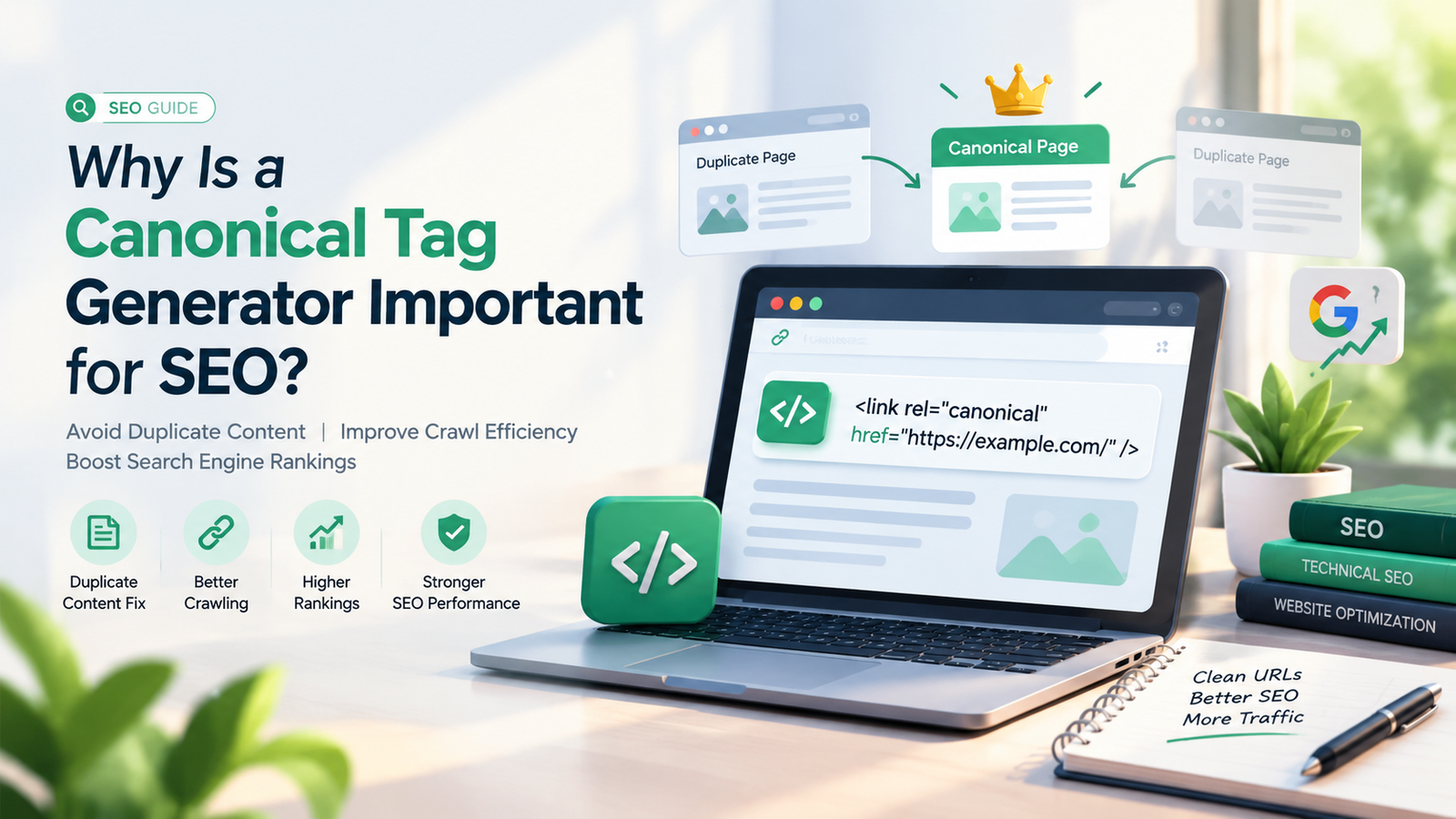

Search engine optimization (SEO) involves more than choosing the right keywords, publishing quality content, and building backlinks. It also requires proper technical optimization to help search engines discover, crawl, and understand website pages. One important aspect of technical SEO is managing duplicate or very similar content. This is where a Canonical Tag Generator becomes useful.
A canonical tag generator is an SEO tool that helps website owners create the HTML code used to identify the preferred version of a webpage. When several URLs contain identical or similar content, search engines may need signals to determine which version should be treated as the primary page. A canonical tag helps communicate that preference.
For example, an online store might have several URLs displaying the same product because of tracking parameters, filters, or sorting options. Instead of allowing these URLs to compete unnecessarily, the website owner can specify the preferred URL using a canonical tag.
In this guide, you will learn what a canonical tag generator is, how canonical tags work, why they matter for SEO, how to use a generator, and which mistakes to avoid when implementing canonical URLs.
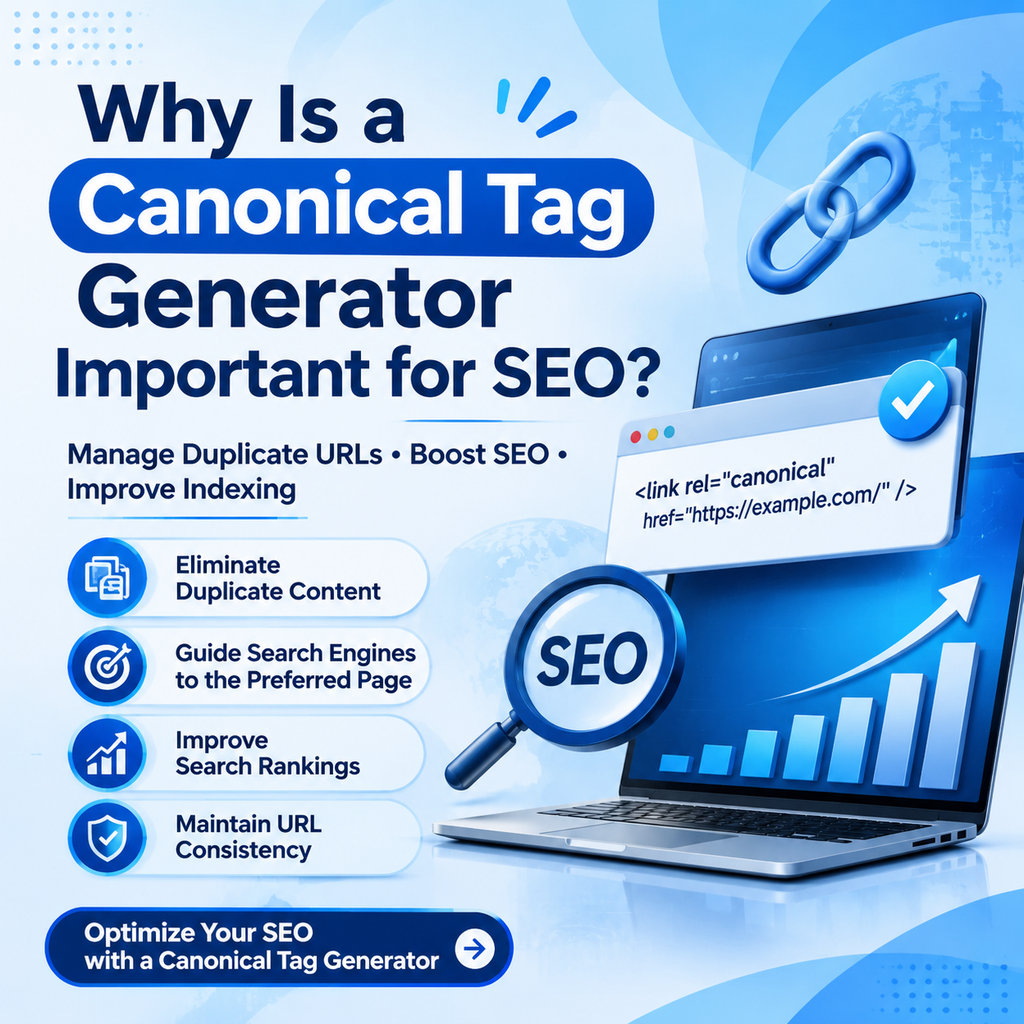
What Is a Canonical Tag Generator?
A Canonical Tag Generator is an online SEO tool that creates the HTML code for a canonical link element. This element tells search engines which URL is preferred when multiple URLs contain duplicate or substantially similar content.
A canonical tag is usually placed inside the <head> section of a webpage’s HTML.
Here is an example:
<link rel="canonical" href="https://example.com/seo-guide/" />
In this example, the URL inside the href attribute identifies the preferred version of the page. Search engines can use this information when deciding which URL to index and display in search results.
A canonical tag generator simplifies this process by allowing users to enter their preferred URL and generate the corresponding HTML code. This can reduce formatting errors and make canonical implementation easier for website owners, developers, bloggers, and SEO professionals.
However, generating the code is only one part of the process. You must also implement the tag correctly and ensure that the selected canonical URL represents the page you actually want search engines to prioritize.
What Is a Canonical Tag in SEO?
A canonical tag is an HTML element that helps search engines understand the relationship between duplicate or similar pages. It indicates which URL should be considered the preferred version among a group of related URLs.
Canonical tags are particularly useful when the same content is accessible through multiple URLs.
For example, these URLs might display the same webpage:
https://example.com/seo-tools/https://example.com/seo-tools/?source=newsletterhttps://example.com/seo-tools/?campaign=summer
If the query parameters do not change the main content, the website owner may choose the clean URL as the canonical version.
The canonical tag would look like this:
<link rel="canonical" href="https://example.com/seo-tools/" />
This gives search engines a clear preference for the primary URL.
It is important to understand that canonical tags are signals, not absolute commands. Search engines such as Google consider canonical annotations alongside other signals, including redirects, internal links, sitemap entries, and HTTPS preferences. Google may select a different canonical URL if its systems determine that another version is more appropriate.
Why Does a Canonical Tag Generator Matter for SEO?
A canonical tag generator supports technical SEO by making it easier to create consistent canonical annotations. Although a generator alone does not improve rankings, correct canonicalization can help search engines consolidate signals and understand which version of a page should be prioritized.
1. Helps Manage Duplicate Content
Duplicate content occurs when identical or very similar material is available at multiple URLs. This can happen because of tracking parameters, URL variations, product filters, session identifiers, or website configuration issues.
For example, an e-commerce website may display a product page through several URLs depending on the selected sorting method. A canonical tag can indicate the preferred product URL when the variations contain substantially the same main content.
A canonical tag generator makes it easier to create the necessary HTML element without manually writing the code each time.
Canonicalization does not mean that every page with similar content should point to one URL. Pages with distinct purposes or substantially different content generally need their own appropriate canonical URLs.
2. Helps Consolidate Ranking Signals
When several URLs represent the same or very similar content, external links and other signals may be associated with different versions. Canonicalization can help search engines consolidate signals toward the preferred URL.
For instance, some websites receive backlinks to URLs containing tracking parameters or other unnecessary variations. A properly implemented canonical tag can help search engines understand which URL is preferred.
This does not guarantee that all signals will be consolidated or that rankings will improve. The outcome depends on how search engines interpret the available signals and whether the URLs qualify as duplicates or sufficiently similar pages.
3. Supports Better URL Indexing
Search engines do not necessarily index every URL they discover. When multiple URLs display similar content, search engines may select one as canonical and exclude other versions from their index.
A canonical tag helps communicate your preferred choice, making your website’s URL structure easier to interpret.
For example, if your main article is available at both a clean URL and a parameter-based URL, you can identify the clean version as canonical.
Remember that a canonical tag does not guarantee indexing. Your preferred page must still meet the relevant search engine’s indexing requirements.
4. Improves Technical SEO Management
Websites with hundreds or thousands of pages can develop canonicalization problems as content grows. Manually creating and checking canonical tags across a large website can become time-consuming.
A canonical tag generator can speed up code creation and help developers maintain a consistent format.
When combined with a technical SEO audit, canonical tag validation, and crawl analysis, it can help identify implementation issues such as missing tags, incorrect URLs, and conflicting canonical signals.
5. Useful for E-Commerce Websites
E-commerce websites often generate multiple URL variations through product filters, sorting options, campaign tracking, and pagination.
For example, a product listing might appear as:
https://example.com/shoes/https://example.com/shoes/?color=blackhttps://example.com/shoes/?sort=price
Whether these URLs should share a canonical depends on their content and purpose. If a parameter only changes the display order, the main listing may be an appropriate canonical. If a filter creates a valuable, distinct landing page that you want indexed, a different strategy may be more appropriate.
A canonical tag generator helps create the code, but deciding which URL deserves canonical status requires an understanding of the site’s content and indexing goals.
6. Helps Maintain Consistent SEO Signals
Search engines use several signals to understand preferred URLs. Problems can arise when canonical tags point to one URL while internal links, redirects, or XML sitemaps emphasize another.
A canonical tag generator helps standardize the code, while a broader SEO workflow ensures that other signals support the same preferred URL.
Consistency is especially important for websites with multiple content categories, dynamic URL structures, and large publishing teams.
How Does a Canonical Tag Generator Work?
A canonical tag generator generally follows a simple process. Although the interface may vary between tools, the main purpose remains the same: convert a preferred URL into valid canonical HTML.
Step 1: Enter the Preferred URL
Open your chosen canonical tag generator and enter the complete URL you want search engines to treat as the preferred version.
For example:
https://example.com/technical-seo
Use the correct protocol, domain, path, and trailing-slash format according to your website’s URL conventions.
Step 2: Generate the Canonical HTML
After entering the URL, use the tool’s generate option. The tool creates the canonical link element.
Example output:
<link rel="canonical" href="https://example.com/technical-seo/" />
Review the generated code before adding it to your website.
Step 3: Add the Code to Your Webpage
Place the canonical element inside the HTML document’s <head> section. If you use a content management system such as WordPress, your SEO plugin may provide a canonical URL field that lets you set the preferred URL without editing the page template directly.
Avoid adding multiple conflicting canonical tags. If your SEO plugin already generates canonical tags automatically, configure the existing system instead of inserting another tag unnecessarily.
Step 4: Verify the Implementation
Open the published page and inspect its source code to confirm that the canonical element appears in the document head and points to the correct URL.
You can also use an SEO crawler or browser inspection tools to review canonical tags across multiple pages.
Step 5: Check Related SEO Signals
Confirm that the preferred URL is consistent with internal links, XML sitemap entries, redirects, and your website’s HTTPS and hostname conventions.
If the page has a different canonical URL, check that the relationship is intentional and that the selected destination is accessible and appropriate.
How to Use a Canonical Tag Generator for WordPress
WordPress users can implement canonical tags through SEO plugins or custom website configurations. Many popular SEO plugins automatically add self-referencing canonical tags to pages and posts.
Follow these steps to manage canonical URLs effectively.
1. Install or open your SEO plugin. Use a reputable plugin that supports canonical URL settings.
2. Edit the relevant page or post. Open the content for which you want to configure the canonical URL.
3. Locate the advanced SEO settings. Depending on the plugin, you may find a canonical URL field under an advanced settings section.
4. Enter the preferred URL. Use the full URL of the intended canonical page. Do not change the URL simply to include additional keywords.
5. Update or publish the page. Save your settings and make sure the page is publicly accessible.
6. Verify the result. Inspect the published HTML and confirm that the canonical element points to the expected URL.
For most ordinary WordPress pages, a self-referencing canonical URL is appropriate. Only override it when you have a clear reason, such as consolidating duplicate content or identifying the original version of syndicated material.
Avoid adding a canonical tag manually if the plugin already outputs one, unless you know how your site’s theme and plugin interact.
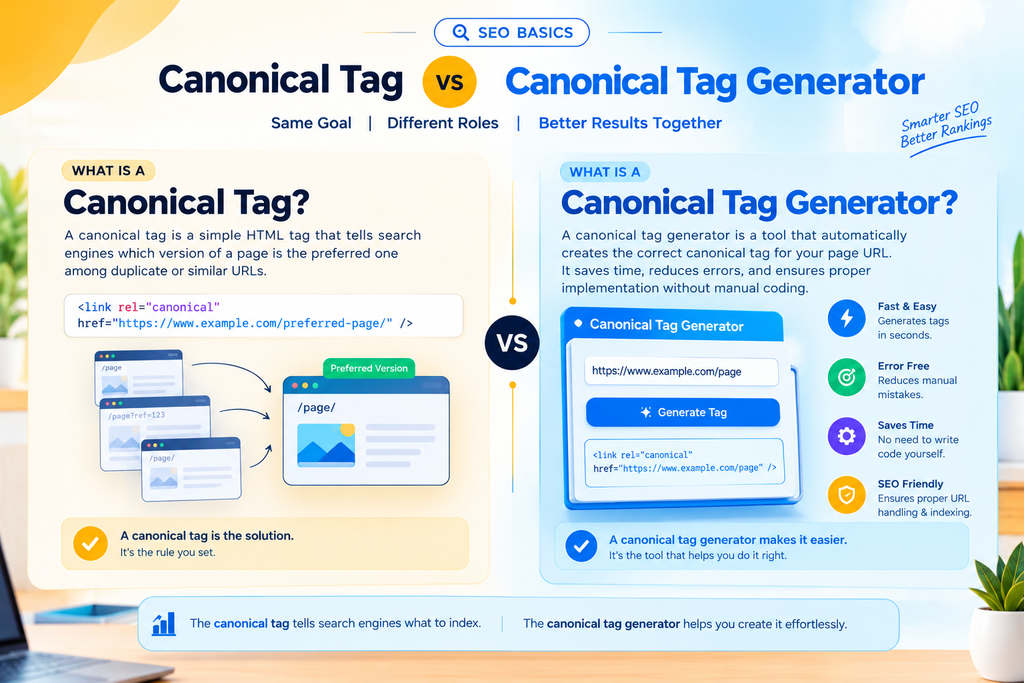
Canonical Tag vs. Canonical Tag Generator
Although these terms are related, they serve different purposes.
A canonical tag is the HTML element placed on a webpage to communicate a preferred URL. A canonical tag generator is a tool that helps create the code for that element.
For example, the canonical tag is the final technical implementation, while the generator is the utility used to produce it.
You can write canonical HTML manually without a generator, but a generator can save time and reduce basic formatting mistakes. Neither option automatically determines the correct canonical URL for your website.
That decision requires an understanding of duplicate content, page relationships, and indexing objectives.
Common Canonical Tag Mistakes to Avoid
Incorrect canonical implementation can confuse search engines and undermine your technical SEO strategy. Avoid the following mistakes when generating and implementing canonical tags.
1. Choosing the Wrong Canonical URL
A canonical tag should point to the preferred version of the same or substantially similar content. Pointing unrelated pages to a single URL can cause search engines to disregard your canonical annotations.
Always review the destination page before implementing a canonical tag.
2. Using Broken or Redirecting URLs
The canonical URL should normally resolve successfully to the preferred page. Avoid pointing canonical tags to URLs that return errors or redirect unnecessarily.
Use a final, accessible URL whenever possible.
3. Creating Conflicting Canonical Tags
Multiple canonical elements can send inconsistent signals. Ensure that each page has one clear, intended canonical URL and check whether your CMS, theme, or SEO plugin is already generating one.
4. Forgetting HTTPS or Domain Consistency
If your preferred website version uses HTTPS and a particular hostname, your canonical tags should consistently reference that version.
For example, avoid mixing HTTP and HTTPS URLs or pointing canonical tags to an unintended www or non-www version.
5. Canonicalizing Pages That Should Remain Separate
Not every similar page is a duplicate. Two service pages may target different customer needs, while two category pages may provide different browsing experiences.
If the pages serve different search intents or contain meaningfully different information, they may need separate canonical URLs.
6. Treating Canonical Tags as Redirects
A canonical tag does not redirect visitors. Users can still access the alternate URL, and the tag simply communicates a preferred version to search engines.
If you have permanently moved a page and want visitors and search engines to use a new URL, a properly configured permanent redirect may be more appropriate.
7. Forgetting to Check Canonical Signals After Updates
Website redesigns, migrations, plugin changes, and URL restructuring can introduce canonical errors. Review your canonical implementation after major updates and include canonical checks in routine technical SEO audits.
Best Practices for Canonical Tags
To get the most value from a canonical tag generator, follow these technical SEO best practices.
- Use absolute URLs: Include the complete URL, including the protocol and hostname.
- Prefer the correct final URL: Use an accessible destination that resolves to the intended page.
- Implement self-referencing canonicals when appropriate: Important, indexable pages commonly reference their own preferred URL.
- Keep signals consistent: Align canonical tags with internal links, XML sitemaps, and redirects wherever practical.
- Avoid canonical chains: Point directly to the preferred URL rather than through another canonicalized URL.
- Use canonical tags for genuine duplicates: Do not combine pages merely because they share a few keywords.
- Review parameter-based URLs: Understand which parameters change tracking or presentation and which create meaningful content variations.
- Audit large websites regularly: Crawl the website to identify missing, conflicting, or unexpected canonical tags.
- Verify after migrations: Check domain changes, HTTPS migrations, and URL restructuring carefully.
- Understand the limits: Canonical annotations are signals, not guaranteed indexing or ranking instructions.
Following these practices helps search engines interpret your URL structure more consistently.
Canonical Tags and Other Technical SEO Tools
A canonical tag generator is most useful when combined with other technical SEO tools. Each tool serves a different purpose, and using them together can provide a more complete view of website health.
Canonical Tag Generator and XML Sitemap Checker
An XML sitemap checker helps you review the URLs listed in your sitemap. Ideally, your sitemap should emphasize the preferred, indexable versions of your pages.
If your sitemap includes duplicate URLs that canonicalize to other pages, review whether those entries should be removed or corrected.
Canonical Tag Generator and Website Crawler
An SEO crawler can scan a website to identify canonical tags, compare declared and selected canonical URLs where supported, and reveal implementation issues across many pages.
This is particularly useful for large websites and online stores.
Canonical Tag Generator and Redirect Checker
A redirect checker helps determine whether a URL redirects to another destination. Reviewing redirect behavior alongside canonical tags can reveal conflicting URL signals and unnecessary redirect chains.
Canonical Tag Generator and Google Search Console
Google Search Console can help website owners inspect individual URLs and understand Google’s indexing decisions. Its URL Inspection tool may show the user-declared canonical and Google’s selected canonical when available.
If Google selects a different canonical URL, investigate differences in page content, internal linking, redirects, sitemap signals, and canonical implementation.
Together, these tools help you move beyond generating code and build a more reliable technical SEO process.
How to Choose the Right Canonical Tag Generator
Not every canonical tag generator offers the same functionality. Choose a tool based on your website’s requirements and your level of technical experience.
Ease of use: A straightforward interface should let you enter a URL and generate valid HTML without unnecessary steps.
Accurate code output: The tool should produce a correctly formatted canonical link element with the preferred URL in the href attribute.
URL validation: If available, URL checks can help identify formatting problems before implementation.
Compatibility with your workflow: Consider whether you need a standalone generator, a WordPress plugin, or a technical SEO platform that manages canonical tags across many pages.
Bulk processing: Larger websites may benefit from tools that support crawling, exports, or bulk URL analysis rather than generating each tag manually.
Verification features: Generating code is useful, but checking the published implementation is equally important. Prefer a workflow that includes validation.
Clear documentation: Reliable guidance can help you understand when to use canonical tags and when a redirect or another solution is more suitable.
For small websites, a basic generator may be sufficient. Larger websites generally benefit from combining canonical generation with automated crawling and ongoing technical SEO monitoring.

Frequently Asked Questions
What is a Canonical Tag Generator?
A Canonical Tag Generator is an SEO tool that creates HTML code for identifying the preferred version of a webpage. It helps website owners implement canonical link elements to manage duplicate or similar URLs.
Are canonical tags important for SEO?
Yes. Canonical tags help search engines understand which URL is preferred among duplicate or substantially similar pages. They can support URL consolidation and more consistent indexing signals, although they do not guarantee indexing or higher rankings.
Does a canonical tag improve Google rankings?
A canonical tag does not directly guarantee better rankings. Correct canonicalization can help search engines understand preferred URLs and consolidate relevant signals, but rankings depend on many other factors, including relevance, content quality, site accessibility, and competition.
Should every page have a canonical tag?
For many websites, self-referencing canonical tags are a useful default for indexable pages. However, the correct implementation depends on the page and the website’s architecture. A canonical tag should reflect the intended preferred URL rather than being added without consideration.
Can canonical tags fix duplicate content?
Canonical tags can help search engines consolidate duplicate or substantially similar URLs. They do not remove duplicate pages, prevent visitors from accessing them, or guarantee that search engines will accept the declared canonical.
What is the difference between a canonical tag and a 301 redirect?
A canonical tag communicates a preferred URL to search engines while leaving the alternate URL accessible. A 301 redirect sends visitors and crawlers to another URL. A redirect is generally more appropriate when a page has permanently moved and the old URL should no longer serve the original page.
Can I use a canonical tag generator for WordPress?
Yes. You can generate the HTML manually or use the canonical URL feature provided by a WordPress SEO plugin. Before adding custom code, check whether your existing plugin already outputs a canonical element.
How can I check whether a canonical tag is working?
Inspect the page source, use browser developer tools, or crawl your website with an SEO auditing tool. Google Search Console’s URL Inspection tool can also help you review the declared canonical and Google’s selected canonical when the information is available.
Conclusion
A Canonical Tag Generator is a practical technical SEO tool that simplifies the creation of canonical link elements and helps website owners manage preferred URLs. It is especially useful for websites that generate multiple URL variations through tracking parameters, e-commerce filters, sorting options, and content management systems.
However, generating the HTML is only the first step. Effective canonicalization requires selecting the correct destination, implementing the tag properly, maintaining consistent internal links and sitemap signals, and checking how search engines interpret the page.
By combining a canonical tag generator with an XML sitemap checker, website crawler, redirect checker, and Google Search Console, you can build a more reliable technical SEO workflow.
Whether you manage a small blog, a business website, or a large e-commerce store, understanding canonical tags helps you organize URLs more effectively and communicate your preferred page versions to search engines. When implemented correctly, canonical tags support better URL management and a clearer technical foundation for your broader SEO strategy.




Leave a Reply