
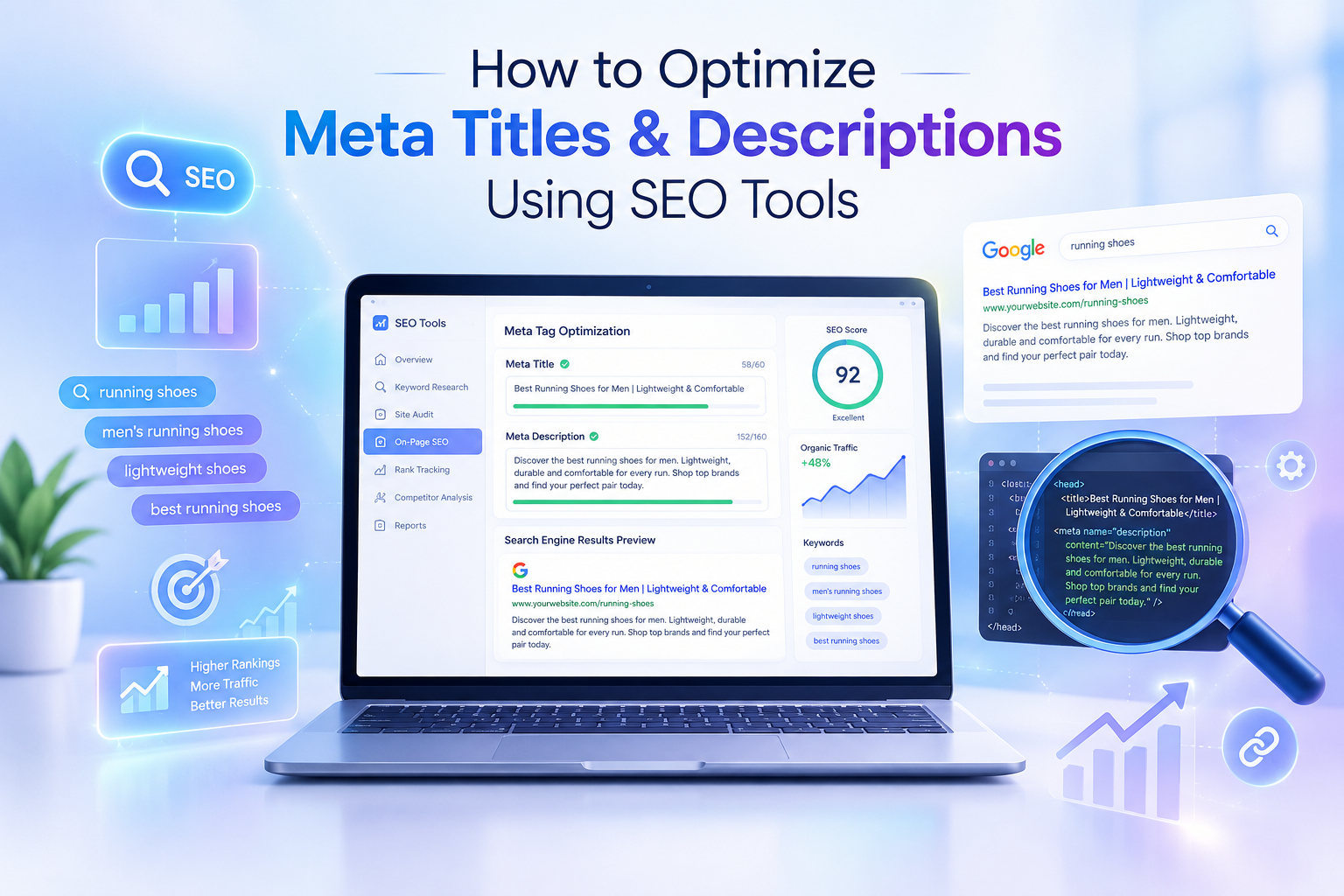

A strong search result can help your website attract more visitors without requiring you to publish new content every day. One way to improve your search listings is to optimize meta titles and descriptions. These elements help users understand what a page offers before they click.
Your meta title acts like a headline in search results, while your meta description gives users a short preview of the page. When both are clear, relevant, and aligned with search intent, they can make your listing more appealing to the right audience.
You do not have to guess what to write. Tools such as Google Search Console, Yoast SEO, Rank Math, Ahrefs, SEMrush, and Screaming Frog can help you identify weak pages, review competitors, and check for common meta-tag issues.
In this guide, you will learn what meta titles and descriptions do, how to write them, which SEO tools can help, and how to measure the results after publishing your updates.
What Are Meta Titles and Meta Descriptions?
What is a meta title?
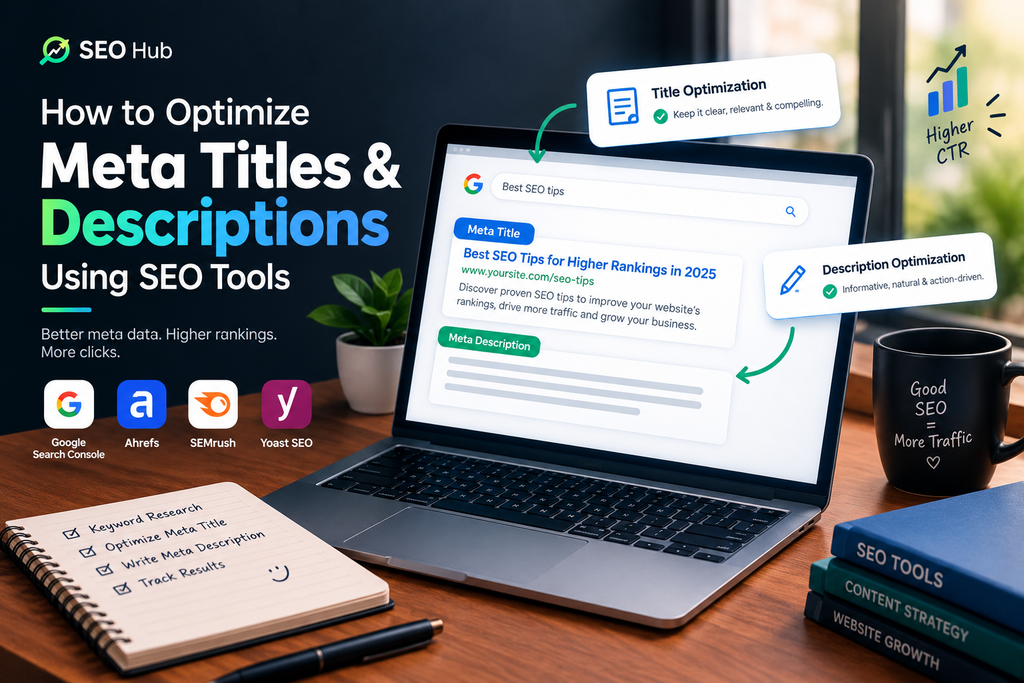
A meta title—often called a title tag—is an HTML element that describes a page’s topic. It commonly appears as the clickable headline in search results and may also appear in browser tabs and link previews.
Example:
<title>How to Optimize Meta Titles and Descriptions</title>
A useful title tells searchers what the page is about and gives them a clear reason to visit. Including the primary keyword naturally can also help communicate the page’s subject.
What is a meta description?
A meta description is a short summary of a page. Search engines may use it as the snippet shown beneath the title in search results, although Google can generate a different snippet from the page content when it believes that will better match the query.
Example:
<meta name="description" content="Learn how to optimize meta titles and descriptions with practical SEO tips and tools.">
A meta description is not a direct Google ranking factor, but it can influence whether someone chooses your result. Keep it accurate, useful, and relevant to the content on the page.
Think of the title as the headline and the description as the short pitch that explains what the visitor will gain.
Why Meta Titles and Descriptions Matter for SEO
Meta tags are still an important part of on-page SEO. They help you present your content clearly and make a stronger first impression in search results.
1. They help attract relevant clicks
A title that describes the page clearly helps users decide whether the result answers their question. A useful description can add context and explain what they will learn or find.
2. They communicate topical relevance
Using your target keyword naturally in the title can make the page topic clear. Avoid repeating keywords unnaturally; readability and accuracy should come first.
3. They set expectations
Searchers should find the content they expect after clicking. If a title or description promises something the page does not deliver, visitors may leave disappointed. Keep your search snippet consistent with the actual page.
4. They support sharing and discovery
Titles and descriptions can be used in previews on social platforms and messaging apps, depending on the platform and the page’s metadata. Clear wording helps people understand shared links.
Search results can include ads, video results, AI-generated features, and other elements. You cannot control every part of the results page, but you can make your own listing accurate and useful.
Meta Title and Meta Description Best Practices
Before choosing an SEO tool, understand the principles behind a good title and description.
Meta title best practices
A practical starting point is around 50–60 characters, but this is a guideline rather than a strict limit. Search engines may truncate titles based on pixel width, device, and query, so there is no guaranteed character count that always displays in full.
Use this checklist:
- Put the primary keyword near the beginning when it reads naturally.
- Write a unique title for each important page.
- Explain the page’s main benefit or purpose.
- Match the search intent: use wording such as “how to” for informational content or “pricing” for users comparing services.
- Add a year, number, or brand name only when it genuinely helps.
- Avoid keyword stuffing and repeated phrases.
- Make sure the title accurately reflects the page content.
Good example:How to Optimize Meta Titles: A Practical SEO Guide
Poor example:SEO Titles, Best SEO Titles, Meta Title SEO Tools, Optimize Titles
The first example is clear and readable. The second repeats keywords without giving the reader a meaningful reason to click.
Meta description best practices
A description of approximately 140–160 characters can be a useful starting point, but Google may show longer or shorter snippets depending on the search and device. Focus on clarity instead of trying to meet an exact character count.
Follow these tips:
- Summarize the page in one or two concise sentences.
- Include the primary keyword naturally where it fits.
- Explain a specific benefit or what the reader will learn.
- Use an appropriate call to action, such as “Learn more” or “Explore the guide.”
- Make sure the description matches the page content.
- Write a distinct description for each important page.
- Avoid vague wording, keyword stuffing, and clickbait.
Example:Learn how to optimize meta titles and descriptions with practical SEO tools, clear examples, and a step-by-step process for improving search snippets.
You can use a SERP preview tool to review how your title and description may appear, but remember that the preview is an estimate rather than a guarantee of Google’s final display.
Best SEO Tools for Meta Titles and Descriptions
Different tools solve different parts of the optimization process. You can start with free tools and add paid platforms when you need deeper audits or competitor research.
1. Google Search Console
Google Search Console is useful for identifying pages that receive impressions but relatively few clicks. Open the Performance report and review clicks, impressions, click-through rate (CTR), and average position. Compare pages and queries to find opportunities worth investigating.
A low CTR does not automatically mean the title is poor. Search intent, ranking position, SERP features, brand awareness, and the query itself can all affect clicks. Use the data as a starting point for analysis.
2. Yoast SEO
Yoast SEO is a popular WordPress plugin that lets you edit SEO titles and meta descriptions from the page or post editor. Its preview and content checks can help you review your snippet and identify potential improvements.
Use it to set a title and description for each post, include your focus keyphrase naturally, and check that your snippet represents the article accurately.
3. Rank Math
Rank Math provides SEO fields and a search-result preview within WordPress. It can help you manage titles, descriptions, and other on-page SEO settings.
Choose either Yoast SEO or Rank Math as your main SEO plugin unless you have a specific, carefully planned reason to use both. Running overlapping SEO plugins can create confusing or duplicated settings.
4. SEMrush
SEMrush offers site-audit and competitor-research features. Depending on your plan, you can use it to find issues such as missing or duplicated title tags and descriptions, review competing pages, and discover keyword opportunities.
Use competitor research to learn which approaches are common in your niche. Do not copy another website’s title; create a version that accurately reflects your own page.
5. Ahrefs
Ahrefs can support keyword research, site audits, and competitor analysis. Review the pages that attract organic traffic for a topic, then examine how competing pages describe their content.
Treat competitor titles as research examples, not templates to copy word for word.
6. Screaming Frog SEO Spider
Screaming Frog can crawl a website and report title tags and meta descriptions. It is particularly useful when you have many URLs to review.
You can filter for missing, duplicate, or unusually long and short titles and descriptions, then export the results for prioritization. The free version has a crawl limit; check the current product details for the applicable limit.
7. SERP preview and AI writing tools
SERP preview tools can help you estimate how a title and description may look in search results. AI writing tools can generate alternative drafts quickly, but every suggestion should be reviewed for accuracy, tone, search intent, and length.
A practical starting toolkit is Google Search Console for performance data, Screaming Frog for site-wide checks, and Yoast SEO or Rank Math for WordPress editing.
How to Optimize Meta Titles and Descriptions: A Step-by-Step Process
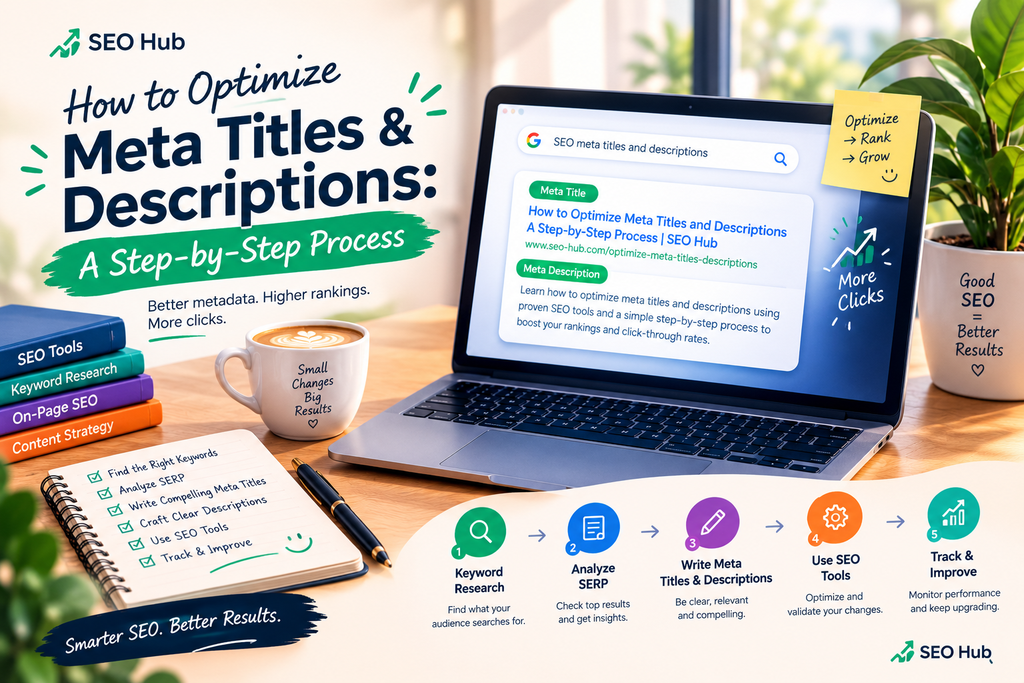
Use the following workflow to improve existing pages systematically.
Step 1: Audit your current meta tags
Start by crawling your website with Screaming Frog or using a site-audit tool such as SEMrush.
Look for:
- Pages with missing title tags or meta descriptions.
- Duplicate titles or descriptions.
- Titles that are unclear or overly long.
- Descriptions that do not explain the page’s value.
- Important pages using generic text.
Export the findings into a spreadsheet. Prioritize your homepage, key service or product pages, and blog posts that already receive search impressions.
Step 2: Find pages with optimization opportunities
Open Google Search Console and select the Performance report. Choose a suitable date range, then review pages and queries alongside impressions, clicks, CTR, and average position.
Look for pages that appear in search results regularly but attract fewer clicks than you would reasonably expect for their position and query. Compare similar pages where possible, and inspect the actual search results before deciding that a title needs changing.
Record the current title, description, target query, impressions, clicks, CTR, and average position. This gives you a baseline for later comparison.
Step 3: Understand search intent and review competitors
Search your target keyword and examine the results. Ask:
- What question or problem is the searcher trying to solve?
- Do top results offer a tutorial, list, comparison, product, or service?
- Which details help users distinguish one result from another?
- Can your page offer a clearer or more specific promise?
Use Ahrefs or SEMrush for additional keyword and competitor research if available. Look for useful patterns, but do not copy competitors’ wording or make promises your content cannot support.
Step 4: Rewrite the meta title
A simple title formula is:
Primary topic + clear benefit or angle + optional differentiator
For example:
How to Optimize Meta Titles and DescriptionsMeta Title SEO: Best Practices for WordPressHow to Write Better Meta Descriptions for SEO
Choose the version that best matches the article. Keep the most important words near the beginning when possible, and remove filler words that do not add meaning.
In WordPress, open the post and find the SEO title field in Yoast SEO or Rank Math. Enter the new title and review the preview. Remember that search engines may display a different title.
Step 5: Write a helpful meta description
Use this structure:
Topic + useful benefit + what the page covers + optional call to action
For this article, a suitable description is:
Learn how to optimize meta titles and descriptions with SEO tools, practical examples, and a step-by-step WordPress workflow.
Make sure the description reflects the content the reader will actually find. Avoid exaggerated claims such as guaranteed rankings or guaranteed traffic increases.
Step 6: Update WordPress and check technical details
Save or update the post after editing the SEO fields. Check that:
- The page has a clear, unique title.
- The meta description is relevant and not duplicated elsewhere.
- The page is indexable when it is intended to appear in search.
- The correct canonical URL is set.
- Your SEO plugin is outputting the expected metadata.
- The title and description make sense on mobile and desktop previews.
For a large website, use a crawl export to organize fixes in batches. Avoid applying one generic description to every page.
Step 7: Review the result after publishing
Search engines may take time to recrawl and update a page’s search appearance. After an appropriate period, return to Google Search Console and compare performance with your baseline.
Review clicks, impressions, CTR, and average position together. If the results are unclear, gather more data before making another change. Change one major element at a time when practical so you can better understand what may have influenced the outcome.
Common Meta Tag Mistakes to Avoid
Even when you use SEO tools, avoid these common problems:
- Duplicate titles and descriptions: Important pages should have distinct metadata that reflects their unique content.
- Keyword stuffing: Repeating the same phrase makes snippets awkward and less helpful.
- Unclear titles: Generic titles such as “Home” or “Blog” do not explain the page’s value.
- Misleading promises: The content should deliver what the snippet promises.
- Ignoring search intent: A tutorial should not be presented like a product page if that does not match the user’s query.
- Over-focusing on character counts: Character and pixel estimates are useful, but clarity and relevance matter more.
- Changing everything at once: Too many simultaneous edits make performance changes harder to interpret.
- Forgetting to measure: Keep a record of changes and check the results rather than assuming every edit will improve CTR.
How to Measure and Improve CTR After Optimization
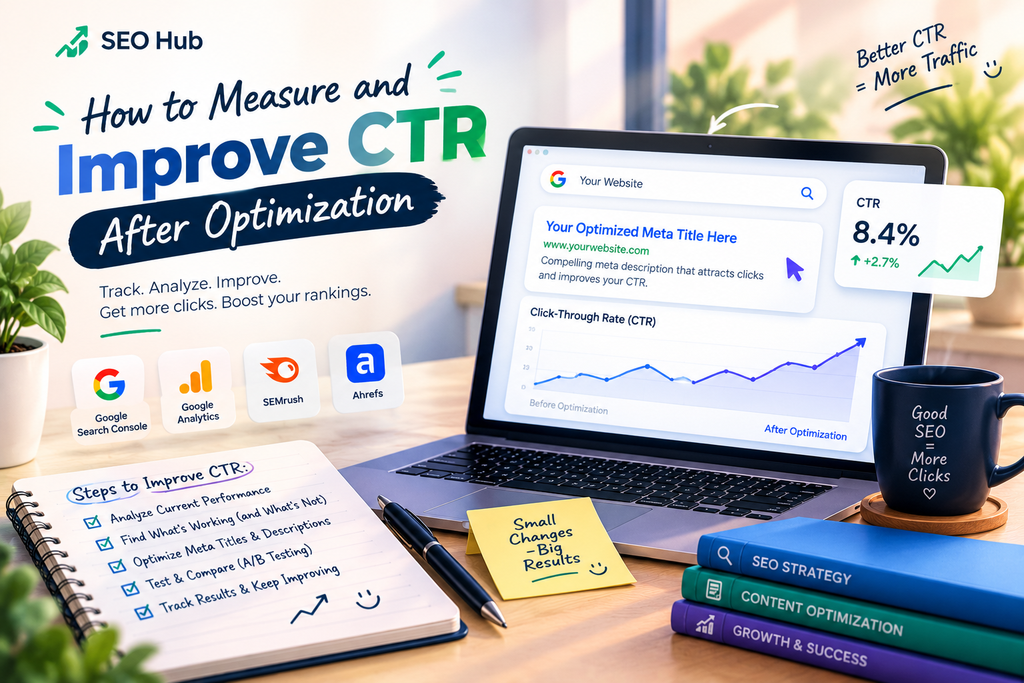
After updating a title or description, use Google Search Console to compare performance before and after the change. Choose a suitable date range and compare the same page and relevant queries where possible.
Track:
- Impressions: How often the page appeared in search results.
- Clicks: How many visits came from those results.
- CTR: The percentage of impressions that resulted in clicks.
- Average position: A useful context for interpreting CTR changes.
Remember that CTR varies by query, ranking position, device, brand familiarity, and the layout of the search results. There is no single CTR benchmark that applies to every website.
If CTR does not improve, investigate whether the page matches the search intent, whether the title is distinct from competing results, and whether the description explains the benefit clearly. Avoid repeatedly changing metadata based on a very small amount of data.
You can also review landing-page engagement in Google Analytics 4 to check whether organic visitors find the content useful. Strong metadata should attract the right visitors, not simply more clicks.
Advanced Tips: AI, Search Features, and Testing
Use AI to generate ideas—not final answers
AI tools can create several title and description options quickly. Review every option for accuracy, brand voice, natural keyword placement, and alignment with the page. Do not publish generated copy without checking it.
Example prompt:
Write five SEO title options for a WordPress article about [topic]. Keep each title concise, include the target keyword naturally, match informational search intent, and avoid unsupported claims. Show the character count for each option.
You can use a similar prompt for meta descriptions, asking for clear benefits and an accurate summary.
Make your content easy to understand
Use a descriptive H1 heading, logical subheadings, concise explanations, and useful examples. Search engines may select snippet text from the page itself, so well-written on-page content matters as well as the meta description.
Test changes carefully
Where you have enough traffic, compare performance across suitable time periods and account for changes in ranking, seasonality, and search-result layouts. Some SEO platforms offer testing features, but availability and methodology vary.
Avoid assuming that a small change in CTR proves a title caused the difference. Keep a change log and evaluate the evidence before rolling a change out across many pages.
Keep local information relevant
For a local service page, include the service and location when those details are genuinely relevant to the page. Do not add city names to unrelated content or create repetitive location pages with little unique value.
Frequently Asked Questions
1. What is the ideal length for a meta title?
Around 50–60 characters is a useful starting point, but there is no fixed character limit that guarantees the title will display in full. Review a search-result preview and put the most important information early.
2. What is the ideal length for a meta description?
Approximately 140–160 characters is a practical guideline. Google may display a different length or generate a snippet from the page content, depending on the query and device.
3. Do meta descriptions directly improve Google rankings?
Meta descriptions are not a direct ranking factor. However, a relevant description may help users understand your result and decide whether to click.
4. Which SEO tool is best for optimizing meta titles and descriptions?
For WordPress editing, Yoast SEO and Rank Math are useful options. Google Search Console helps you evaluate search performance, while Screaming Frog, Ahrefs, and SEMrush can support site audits and competitor research.
5. Why does Google show a different meta description?
Google may generate a snippet from the page content when it considers that text more relevant to a user’s query. Write a clear, accurate description and make sure the page itself answers the searcher’s question.
6. How often should I review my meta tags?
Review them during regular SEO audits and whenever a page’s content, purpose, or search performance changes significantly. A quarterly review can be a useful routine, but high-priority pages may need attention sooner.
7. Can AI write meta titles and descriptions?
AI can help brainstorm and draft options. A human should review the final text for accuracy, uniqueness, search intent, tone, and compliance with the page’s actual content.
Conclusion
Learning how to optimize meta titles and descriptions is a practical way to improve how your website appears in search results. The process starts with understanding your audience, auditing existing metadata, and identifying pages that could communicate their value more clearly.
Use Google Search Console to find opportunities, Screaming Frog or a site-audit platform to identify technical issues, and Yoast SEO or Rank Math to edit metadata in WordPress. Research competitors for ideas, but write original titles and descriptions that accurately represent your page.
After publishing changes, monitor impressions, clicks, CTR, and average position. Keep what works, investigate what does not, and avoid making decisions from limited data.



Leave a Reply